Do Broken Links Hurt SEO? What Google Actually Says
· Updated
Every SEO audit flags broken links. Every technical SEO checklist tells you to fix them immediately. But when you look at what Google has actually said about broken links and rankings, the picture is more nuanced than most guides admit.
Some site owners panic over a handful of 404 errors in Search Console. Others ignore thousands of them and see no ranking changes. The truth sits between these extremes — and understanding where requires looking at what Google's engineers have stated on the record, what the indirect mechanisms are, and what the real-world data shows.
What Google Has Actually Said About Broken Links
Google's team has addressed broken links and 404 errors directly, multiple times. Their position is clearer than most SEO articles suggest.
John Mueller's Direct Statement
In a July 2025 LinkedIn post, Google's John Mueller addressed the question head-on:
"Having pages on a site that return 404 or 410 is perfectly fine with regards to SEO, even if it's hundreds of millions of pages. Returning 404 (or 410) is the technically correct way to deal with requests to URLs that don't exist, and this is the best way to do it."
In the same post, he explicitly stated that 404s are "not a quality signal, not a SEO signal."
This is unambiguous. Google does not use the presence of 404 errors on your site as a direct ranking factor. A page returning 404 is the server doing exactly what it should — telling crawlers and browsers that the requested URL doesn't exist.
Google's Official Documentation
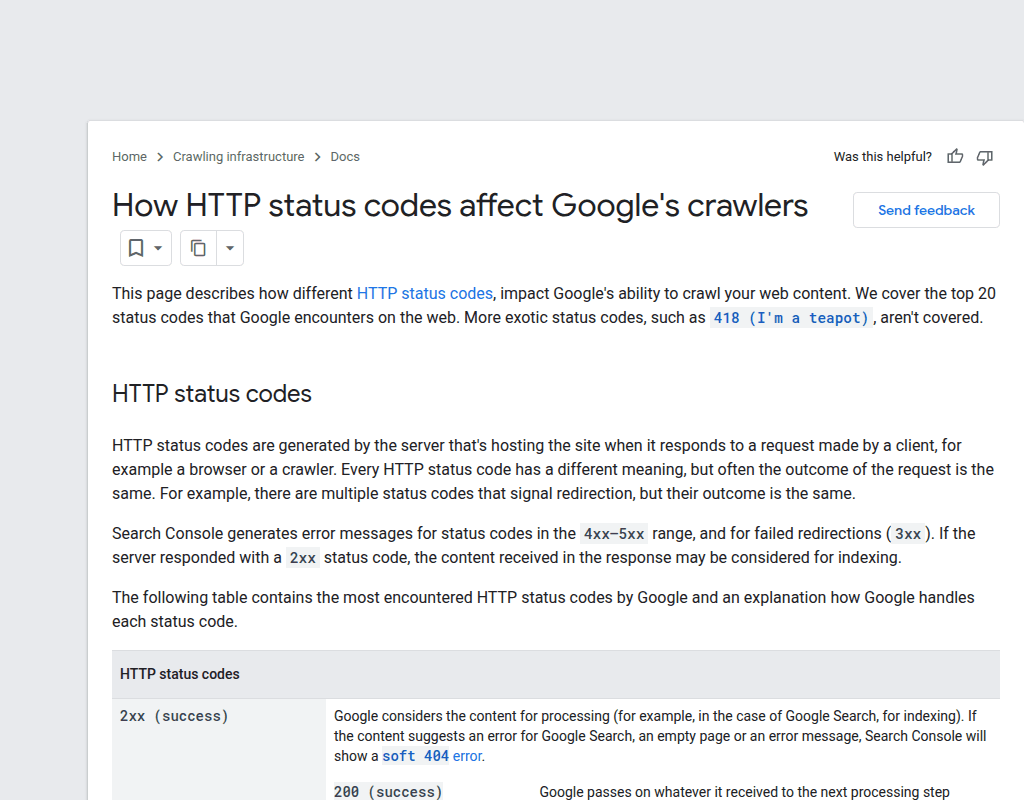
Google's documentation on HTTP status codes confirms that Googlebot handles 404 and 410 responses as expected behavior. Both tell Google to eventually remove the URL from its index. The difference is speed: Google drops 410 pages from the index faster than 404 pages, since 410 signals that the removal is intentional and permanent.
According to Google's crawl budget documentation, the search engine allocates crawling resources based on site size, update frequency, and server responsiveness. Nowhere does it list 404 count as a factor that directly penalizes a site.
The Key Distinction Most People Miss
Mueller's statement refers specifically to pages that correctly return 404 status codes. This is about URLs that don't exist returning the right HTTP response. It is not a blanket statement that broken links — meaning links on your pages that point to dead URLs — have zero impact on your site.
The difference matters. A 404 error code is a server response. A broken link is a hyperlink in your content that leads to that 404. Google says the 404 itself is fine. The broken link pointing to it is a separate problem with separate consequences.
The Indirect Ways Broken Links Actually Hurt SEO
If broken links aren't a direct ranking signal, why does virtually every SEO professional recommend fixing them? Because broken links cause measurable damage through several indirect mechanisms that Google does care about.
1. Lost Link Equity (PageRank Leakage)
Every internal link on your site distributes ranking authority — what Google historically called PageRank — from one page to another. When an internal link points to a dead URL, that authority flows nowhere. The destination page is gone, and the link equity that would have strengthened another page in your site's hierarchy is wasted.
This isn't theoretical. Internal linking is how Google understands your site structure and determines which pages are most important. Google has confirmed that a site's internal link structure is a factor in how it evaluates and ranks pages.
Consider a practical example: your homepage links to ten category pages. One of those links points to a page you deleted last year. That's roughly 10% of your homepage's outgoing internal link equity pointing to a dead end. The remaining nine pages each receive their share, but the total authority distributed is less than it could be.
The fix is immediate — redirect the dead URL or update the link, and PageRank flow restores instantly. But while the broken link exists, that authority is lost on every crawl.
2. Crawl Budget Waste
Crawl budget matters for larger sites. Google allocates a finite number of pages it will crawl on your site within a given timeframe, determined by your server's capacity and the perceived value of your content.
When Googlebot encounters broken internal links, it follows them, receives a 404 response, and has consumed part of your crawl budget on a page that doesn't exist. For a 50-page blog, this is irrelevant. For an e-commerce site with 100,000 product pages, hundreds of broken links mean Google is spending crawl resources on dead ends instead of discovering new or updated content.
Gary Illyes from Google has emphasized that crawl budget in 2025 is about efficiency, not just quantity. He noted that crawl waste from structural issues — effectively sending Googlebot through loops of useless URLs — is a real concern. While broken links aren't the worst offender (faceted navigation and action parameters cause more damage), they contribute to the same problem: Googlebot spending time on URLs that return no indexable content.
Google's documentation recommends eliminating soft 404 errors and keeping sitemaps updated specifically to reduce crawl waste. The same principle applies to broken internal links — they create unnecessary crawl overhead.
3. User Experience Degradation
Google has been increasingly explicit about user experience as a ranking consideration. Core Web Vitals are a confirmed ranking signal, and the broader helpful content framework rewards pages that satisfy user intent.
Broken links directly damage user experience. A visitor clicks a link expecting content and hits an error page. The most common response is to hit the back button and leave — or leave the site entirely. Google/SOASTA research found that as mobile page load time increases from 1 to 3 seconds, the probability of a bounce rises by 32%. A 404 error is worse than a slow page — it's a complete dead end.
While Google doesn't directly measure "user clicked a broken link and left," the behavioral patterns that result from broken links — higher bounce rates, shorter session durations, fewer pages per visit — are signals Google can observe and does factor into its quality assessments.
4. Broken Backlinks Waste External Authority
When another website links to your site and that link points to a page that no longer exists, you're losing external link equity — the most valuable kind. Someone else vouched for your content, Google sees that endorsement, but the page receiving it returns a 404. The authority that backlink carried is wasted.
This is particularly damaging when high-authority sites link to specific pages you've since removed. A backlink from a major publication or university pointing to a dead page on your site is an ongoing loss of ranking power that could be recovered with a simple 301 redirect.
You can check for this in Google Search Console's "Links" report. Look at your top linked pages and verify they all resolve correctly. Any page with external backlinks that returns a 404 should be redirected to the closest relevant page on your site. For a deeper strategy, see our guide on how to find broken links on your site.
Internal vs. External Broken Links: Which Matter More?
Not all broken links carry equal weight. The distinction between internal and external broken links matters for prioritization.
Internal Broken Links Are the Priority
Internal broken links — links on your site pointing to other pages on your site that no longer exist — are the more damaging category for several reasons:
- You control both sides. The link and the destination are yours to fix. There's no excuse for leaving them broken.
- They disrupt site architecture. Google uses internal links to understand your site hierarchy. Broken internal links create gaps in that structure.
- They waste your own link equity. Authority that should flow between your pages goes nowhere.
- They signal neglect. While a few are normal, hundreds of broken internal links suggest the site isn't being maintained.
A well-structured internal linking system is one of the most controllable SEO levers you have. Broken internal links undermine that system directly.
External Broken Links Still Matter
External broken links — links on your pages pointing to other websites that have gone down or moved — have less direct SEO impact but still affect your site:
- User experience suffers. Visitors expect your outbound links to work. Dead external links erode trust.
- Content quality perception drops. Outdated external links suggest your content hasn't been maintained, which can affect E-E-A-T signals (Experience, Expertise, Authoritativeness, Trustworthiness).
- Link rot is inevitable. Studies show that roughly 6-7% of links break each year. A post with 20 external links will likely have 1-2 broken ones within 12 months.
Fix internal broken links first. Then address external ones, starting with your highest-traffic pages.
When Broken Links Actually Cause Ranking Drops
Mueller said 404s aren't a ranking signal. The data confirms that a few broken links won't tank your rankings. But there are specific scenarios where broken links cause measurable SEO damage.
Site Migrations Gone Wrong
The most dramatic ranking drops from broken links happen during site migrations. When you change your URL structure, switch domains, or move platforms without comprehensive redirects, you can create hundreds or thousands of broken links overnight.
Real-world cases are instructive. A Search Engine Journal case study documented a site losing 40% of organic traffic within two weeks of a migration because old URLs weren't properly redirected. The LoveKnitting website saw its Google UK visibility collapse by approximately 99% after a domain migration where many old URLs either redirected to the homepage or to non-existent pages instead of their proper equivalents.
The pattern is consistent: migrations that create mass broken links cause severe ranking drops. Migrations with proper 301 redirect mapping preserve rankings. The broken links aren't a "ranking signal" in this context — they're destroying the entire link graph that Google built around the old URLs.
Broken Links on High-Authority Pages
A broken link on your most-linked-to page matters more than a broken link on a page nobody visits. If your homepage — typically your highest-authority page — has internal links pointing to dead URLs, the link equity loss is proportionally larger.
Similarly, a cornerstone piece of content with dozens of internal links pointing to it and from it creates more damage per broken link than a minor page buried deep in your site architecture.
Scale Matters
Industry data suggests a practical threshold: sites with more than 2% broken links (relative to total links) typically see measurable SEO impact. Above 5%, the cumulative effects of crawl waste, link equity loss, and user experience degradation become significant.
For a site with 1,000 pages and an average of 10 internal links per page, that's 10,000 total internal links. At 2%, that's 200 broken links — enough to disrupt PageRank flow across significant portions of the site. At 5% (500 broken links), the site is likely losing measurable organic traffic.
A handful of broken links on a well-maintained site? Google's statement holds — no ranking impact. Hundreds of broken internal links across a neglected site? The indirect effects compound into real traffic loss.
How to Audit Your Site for SEO-Impacting Broken Links
Knowing that broken links matter through indirect mechanisms, here's where to focus your audit efforts for maximum SEO impact.
Step 1: Check Google Search Console
Google Search Console's "Pages" report (under Indexing) shows URLs that returned 404 or other errors when Googlebot tried to crawl them. This is Google telling you directly which broken URLs it's encountering on your site. Pay attention to the "Not found (404)" category — these are URLs Google expected to find based on internal links, sitemaps, or external links pointing to your site.
Step 2: Prioritize by Link Equity
Not all broken links are equal. Prioritize by:
- Pages with external backlinks returning 404 — these are wasting acquired authority
- Broken links on high-traffic pages — these affect the most users and distribute the most internal authority
- Broken links in main navigation or footer — these appear on every page and multiply the crawl waste
- Broken internal links between cornerstone content — these disrupt your most important content relationships
Step 3: Fix the Right Way
For each broken link, choose the appropriate fix:
- Update the link to point to the correct current URL if the content moved
- Set up a 301 redirect from the old URL to the closest equivalent page if external sites link to the old URL
- Remove the link entirely if the destination content no longer exists and no redirect makes sense
- Return a 410 status for pages intentionally removed with no equivalent, so Google deindexes faster
Step 4: Establish Ongoing Monitoring
Broken links aren't a one-time fix. Links decay continuously — external sites go offline, internal pages get reorganized, CMS updates break URL patterns. Set up a regular checking schedule based on your site type. Our guide on how often to check for broken links provides specific schedules for different site sizes and types.
For a spot check, Broken Link Checker scans the current page. Its manually started Whole site scan can also crawl discovered URLs on the same host, filter broken links and redirects, and show every recorded source page under Found on. It is useful for finding internal paths that lead to a failure; backlink discovery still belongs in Search Console or a backlink index.
Frequently asked questions
- Do broken links directly affect Google rankings?
- No. Google's John Mueller has explicitly stated that 404 errors are "not a quality signal, not a SEO signal." However, broken links cause indirect damage through lost link equity, crawl budget waste, and degraded user experience — all of which can affect rankings over time.
- How many broken links are too many?
- There's no official threshold from Google, but industry data suggests that sites with broken links exceeding 2% of total links start seeing measurable SEO effects. Above 5%, the impact on crawl efficiency and link equity distribution becomes significant. A handful of broken links on an otherwise well-maintained site won't cause ranking issues.
- Are internal or external broken links worse for SEO?
- Internal broken links are generally more damaging because they disrupt your site's crawlability, waste your own link equity, and break the site architecture Google uses to understand your content hierarchy. External broken links mainly affect user experience and content quality perception. Fix internal broken links first.
- Should I worry about 404 errors in Google Search Console?
- Not all 404 errors require action. If Google is finding 404s for URLs that never existed on your site (spam URLs, bot-generated paths), these are harmless. Focus on 404s that result from pages you actually had — especially if those pages had backlinks or were linked from other pages on your site. Those represent real link equity loss.
- Can broken links cause a Google penalty?
- No. Google does not issue manual penalties for broken links. There is no algorithmic penalty specifically targeting sites with dead links. The impact is indirect — broken links degrade the signals Google uses for ranking (site quality, user experience, link equity distribution), but they are not a penalty trigger.

Pavel Molyanov
Creator of Broken Link Checker
Content marketer with 10+ years of experience. Founder of a content marketing agency. Writing about SEO, content workflows, and website maintenance.

Check Your Links in One Click
Broken Link Checker finds broken links and redirects on any page or across your whole website, and works in Google Docs and Sheets. Try 3 checks free, with no signup or card required.